

Sight monitors rooms; Room Operation Mapping lets you control them. It bundles one or more device-level Ops actions into a single room operation, so a support team member can power a room off, set its AV source, or adjust its volume with one click from Innomesh Portal, without touching each device individually. This brings room control, a convenience normally associated with the Space subscription tiers, to Sight and Ops deployments.
How It Works
A room operation links a named operation to one or more device actions. When the operation is triggered from the Portal, all of its mapped device actions execute together. The standard operations are:
- Power On
- Power Off
- Set AV Source
- Set Volume Level
The list can be extended per tenancy, and ticking Custom Operation lets you define an operation with your own name and parameters.
Parameter Types
Each operation carries one of three parameter types, which determines what, if anything, the operator supplies:
| Parameter type | Behaviour | Example |
|---|---|---|
| None | The operation takes no input | Power On, Power Off |
| Fixed | The value is set in the mapping itself | Set AV Source with Input “PC” |
| Variable | The operator supplies the value at execution time; the value is typed (Integer, String, or Boolean), with Min and Max bounds for numeric ranges | Set Volume Level with a Volume Percent between 0 and 100 |
An operation with fixed parameters can be mapped several times with different values, for example Set AV Source once for “PC” and once for “Laptop”. The Portal presents these as a single operation with a list of selectable values.
Adding a Mapping
- Open a Sight room.
- Open the Options menu in the top right and select Room Operation Mapping.
- Click Add Mapping.
- Under Room Operation, choose the Operation. Its parameter fields appear automatically: nothing for Power On and Power Off, a fixed Input value for Set AV Source, or the typed Volume Percent range for Set Volume Level. Alternatively, tick Custom Operation and define your own.
- Click + Add Item to map a device action. Select the Device (drawn from the room’s device list) and the Operation the device should perform, drawn from its available Ops actions. The action’s parameters are pre-populated; complete any remaining fields, such as a channel selection or a fixed value, and confirm the row with the tick.
- Repeat + Add Item for every device action the room operation should trigger.
- Click Add, then OK, and update the room to apply the change.
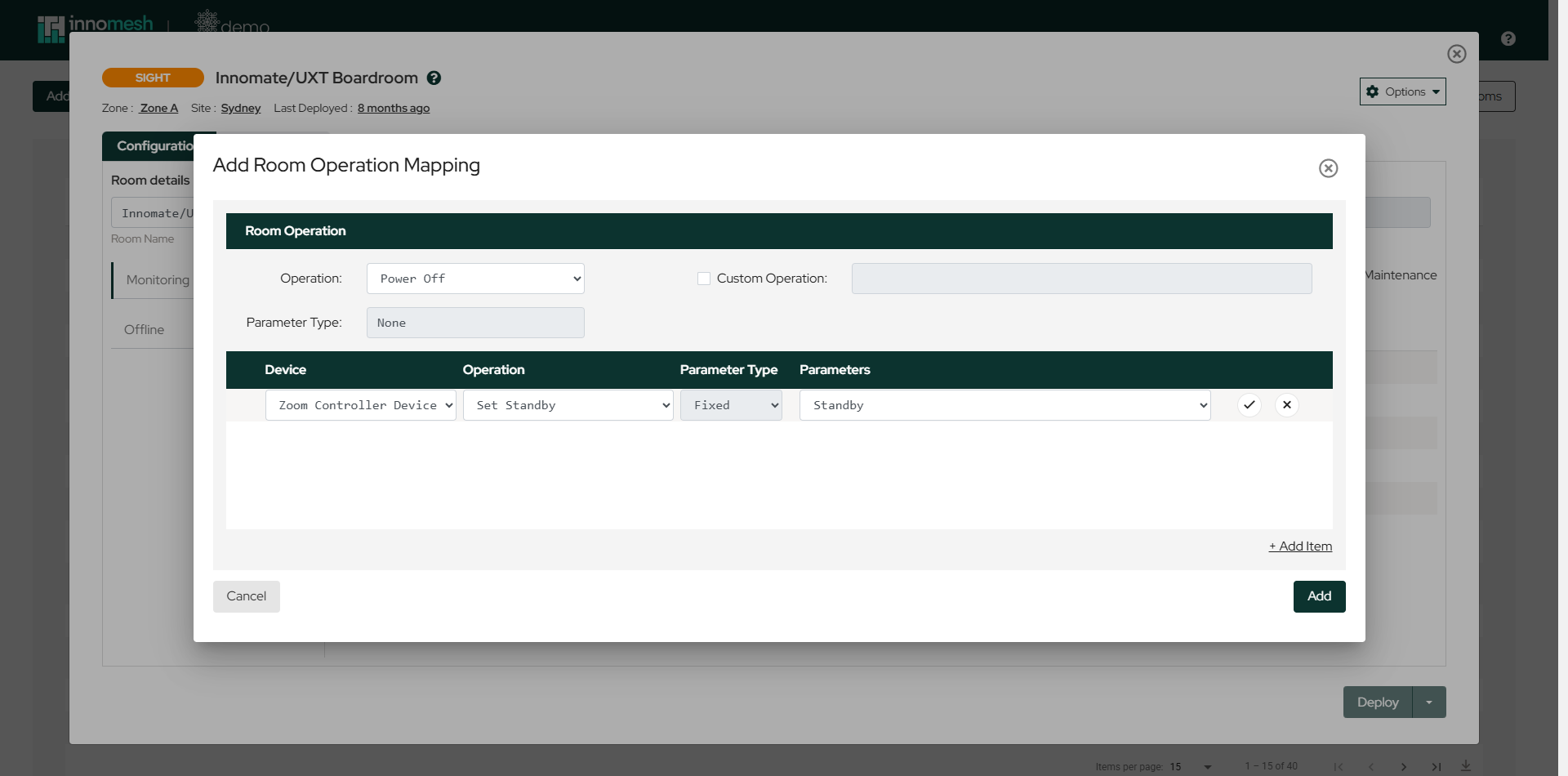 A Power Off room operation that places the room’s touch panel into standby | Innomesh Room Manager
For a variable operation such as Set Volume Level, the parameter name and type are pre-populated, and you define the permitted range:
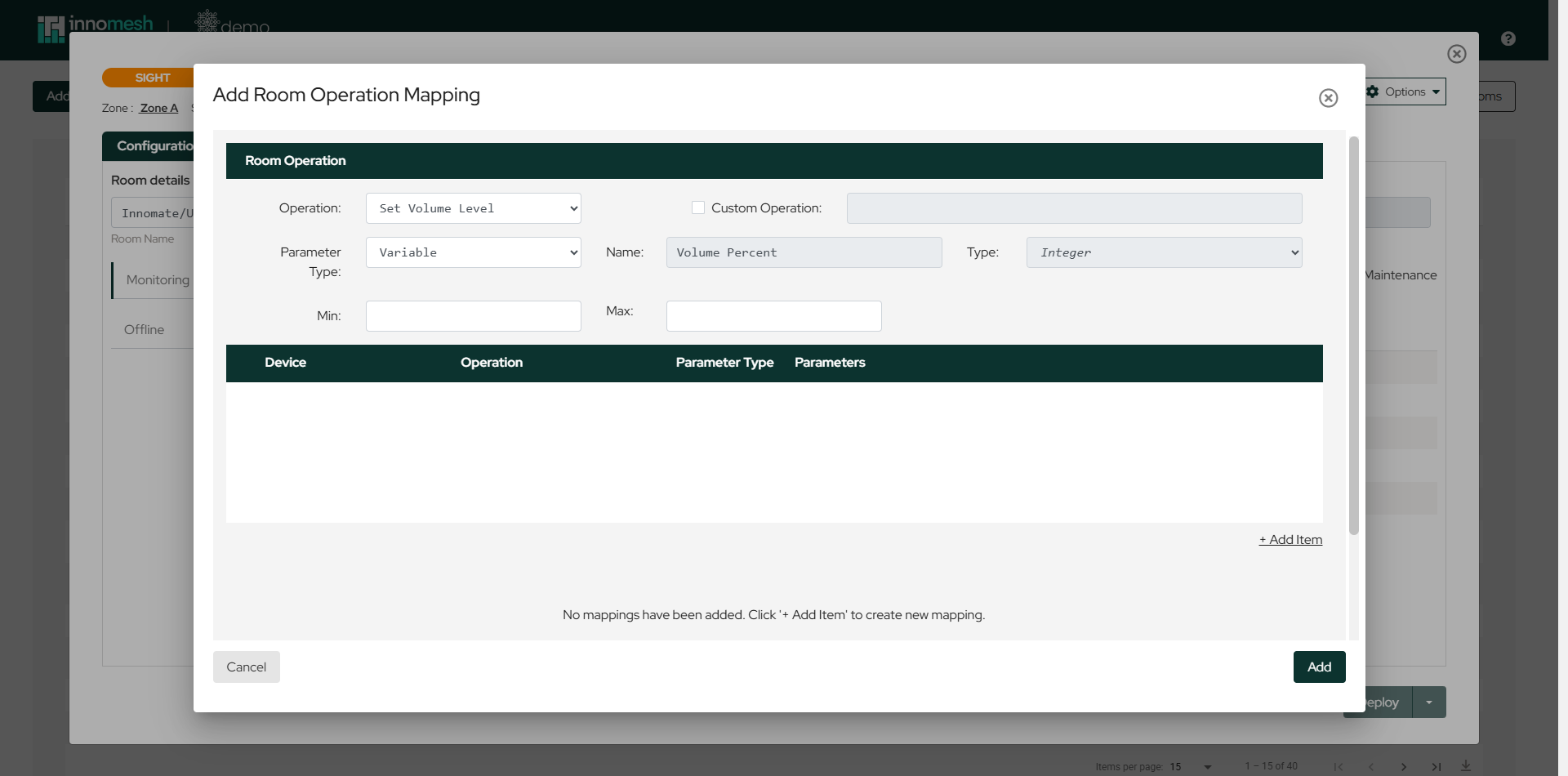 A variable operation: the operator chooses the volume percentage at execution time | Innomesh Room Manager
The mapping list shows each room operation alongside its device actions. Where a room operation maps to more than one device action, the entry shows “+X more operations”, and hovering reveals the full list. Tick one or more mappings to reveal the Delete button.
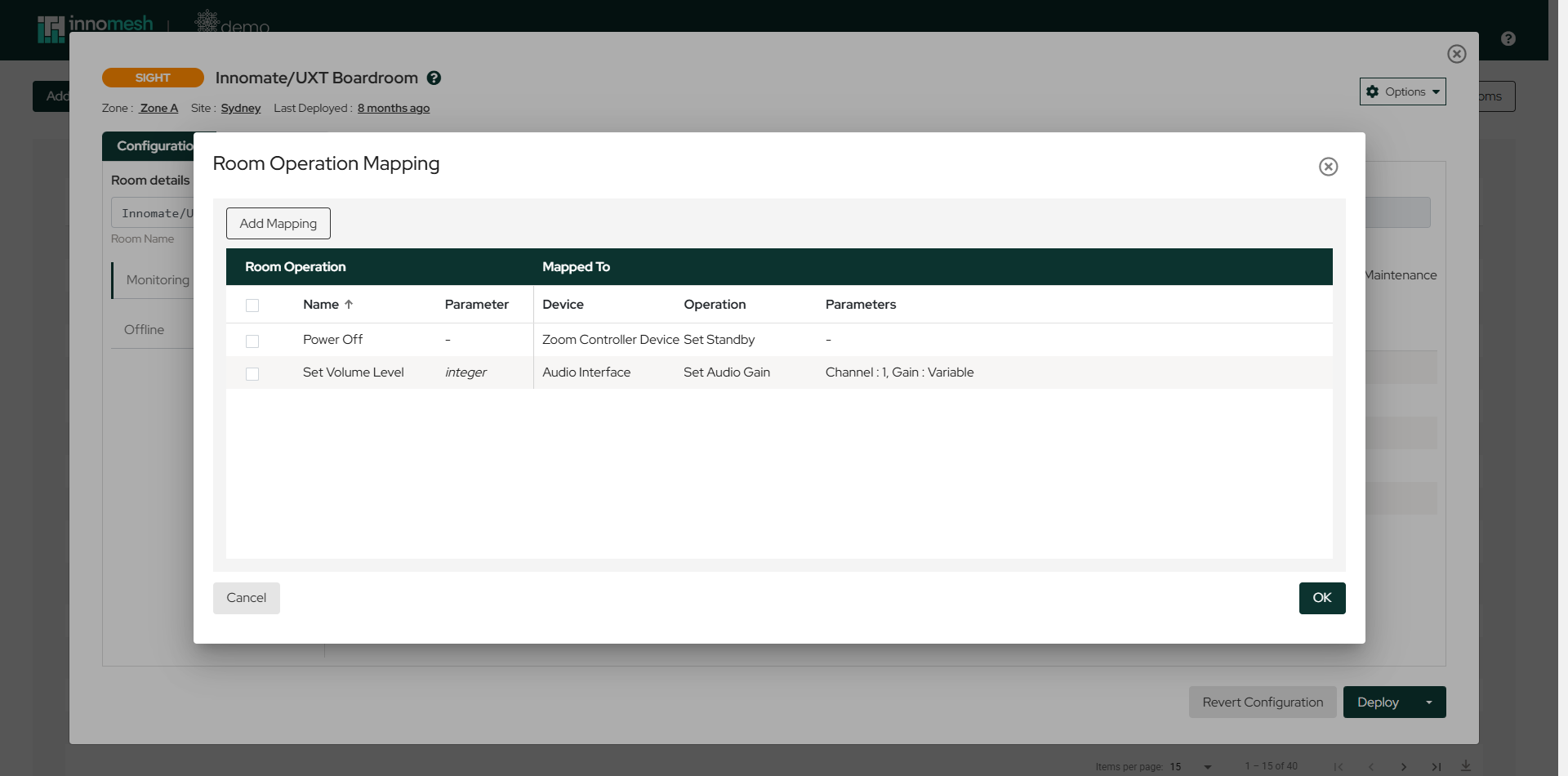 Two room operations, one parameterless and one variable, mapped to device actions | Innomesh Room Manager
Executing Room Operations
To trigger a room operation:
- Navigate to the Rooms section in Innomesh Portal.
- Locate your room.
- Access the context menu.
- Select the room operation.
All mapped device actions execute together. Operations with a variable parameter prompt the operator for the value, within the Min and Max bounds defined in the mapping. If a mapped device has since been removed from the room, its action is skipped and the remaining actions still run.
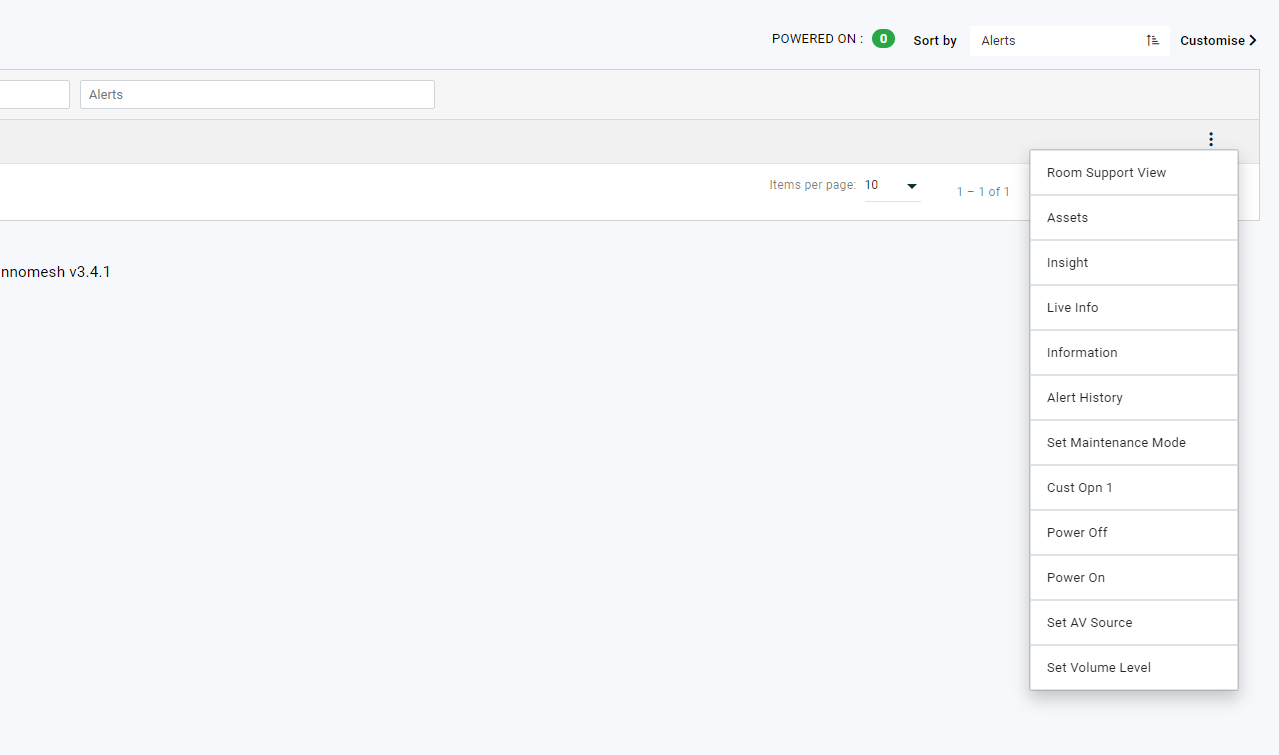
Mapping at the Template Level
Room operations can also be defined on a Sight template, via the same Room Operation Mapping entry in the template’s Options menu, so every room created from the template ships with the same operations.
Relationship to Room State Mapping
Room Operation Mapping is the control-side counterpart to Room State Mapping. State mapping reads device properties to derive what the room is doing; operation mapping writes commands to devices to change it. Together they give Sight rooms round-trip remote monitoring and control.