

In Space CE rooms, template and room software versions operate independently. This means you can update a template’s software version and push it to all or selected rooms under that template1, or update individual rooms separately. This guide covers how to update the software version on an individual Space CE room.
Steps to Update Room Software
-
Access Room Configuration: Hover over the desired room and click the pencil icon to open the room configuration popup window.
-
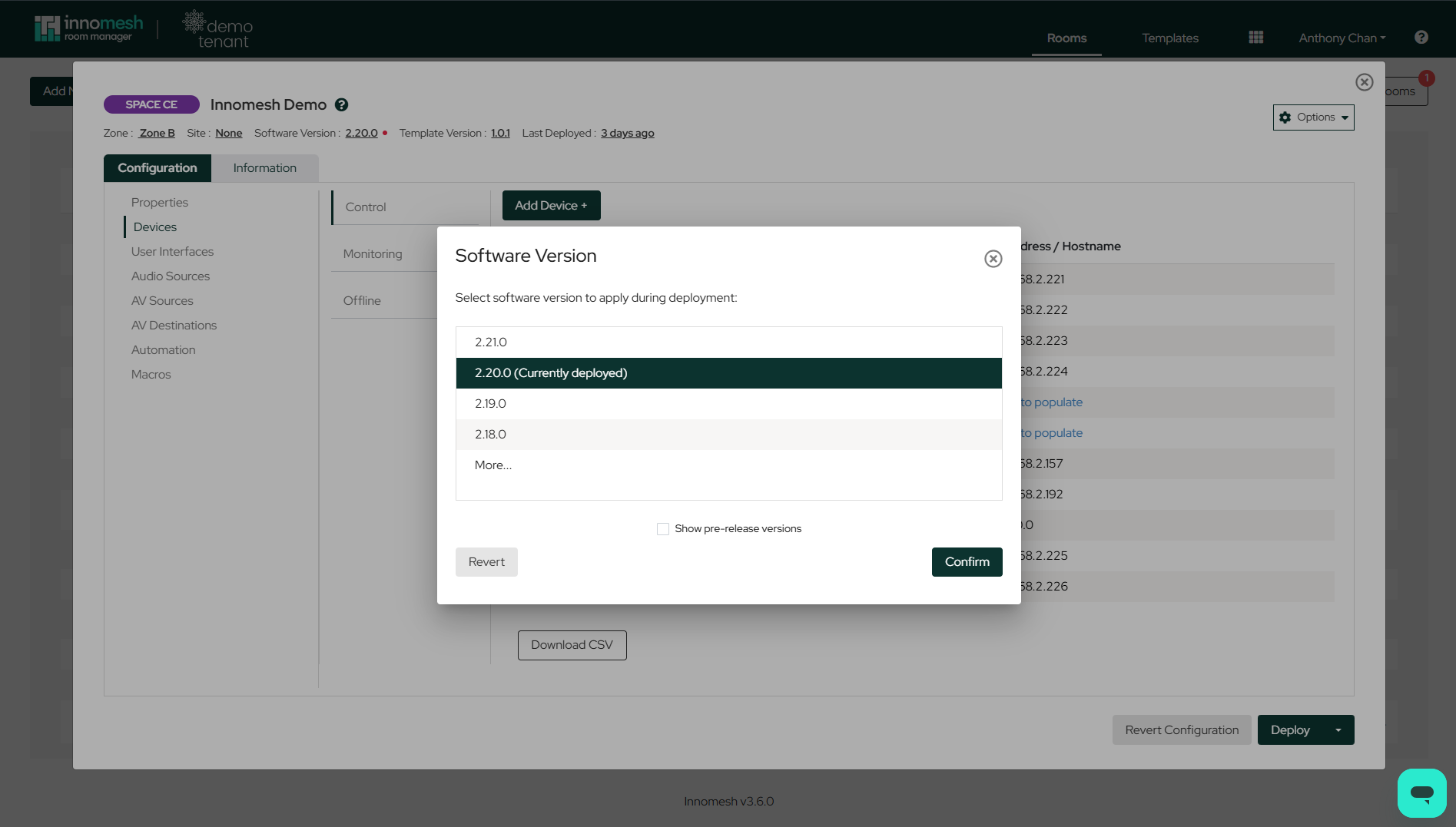
Locate Software Version Controls: Look at the top left of the configuration window. You will see the Zone, Software Version, and Template Version displayed. Click the underlined Software Version to open the Software Version dialog.
-
Select New Version: The dialog lists the available software versions, with the currently deployed version highlighted. Select the version to apply during deployment — upgrading, or downgrading as needed — and click Confirm. Check Show pre-release versions to include pre-release builds in the list.
Important Limitations
- Room software can only be downgraded a maximum of two versions below its current version.
- To downgrade further, perform multiple downgrade operations sequentially.
- Downgrading to older software versions is not recommended unless there is a specific reason, as newer versions contain important bug fixes and driver updates.
Related Articles
Footnotes
-
Use Push Updates to Rooms in the template’s Options menu to choose which rooms receive the update. ↩