

The WebCheckout integration brings a room’s WebCheckout asset inventory directly into Innomesh Portal. This gives support teams visibility into the equipment recorded against a room without switching between platforms. This feature was introduced in Innomesh v3.5.1.
Overview
WebCheckout is an equipment and resource management platform commonly used in higher education and enterprise environments for managing AV equipment loans, room bookings, and asset tracking.
When integrated with Innomesh, a room’s WebCheckout inventory surfaces on a WebCheckout tab within that room’s Information detail view. A Sync with WebCheckout action refreshes the list from WebCheckout on demand.
What You Can See
The WebCheckout tab lists each asset recorded for the room, with the following columns:
- Resource ID: The WebCheckout identifier for the asset
- Brand and Model: The manufacturer and model of the device
- Purchase Date and Replacement Date: When the asset was acquired and when it is due for replacement
- Value: The recorded value of the asset
- Last Scan Time and Last Scanned By: When the asset was last scanned in WebCheckout, and by whom
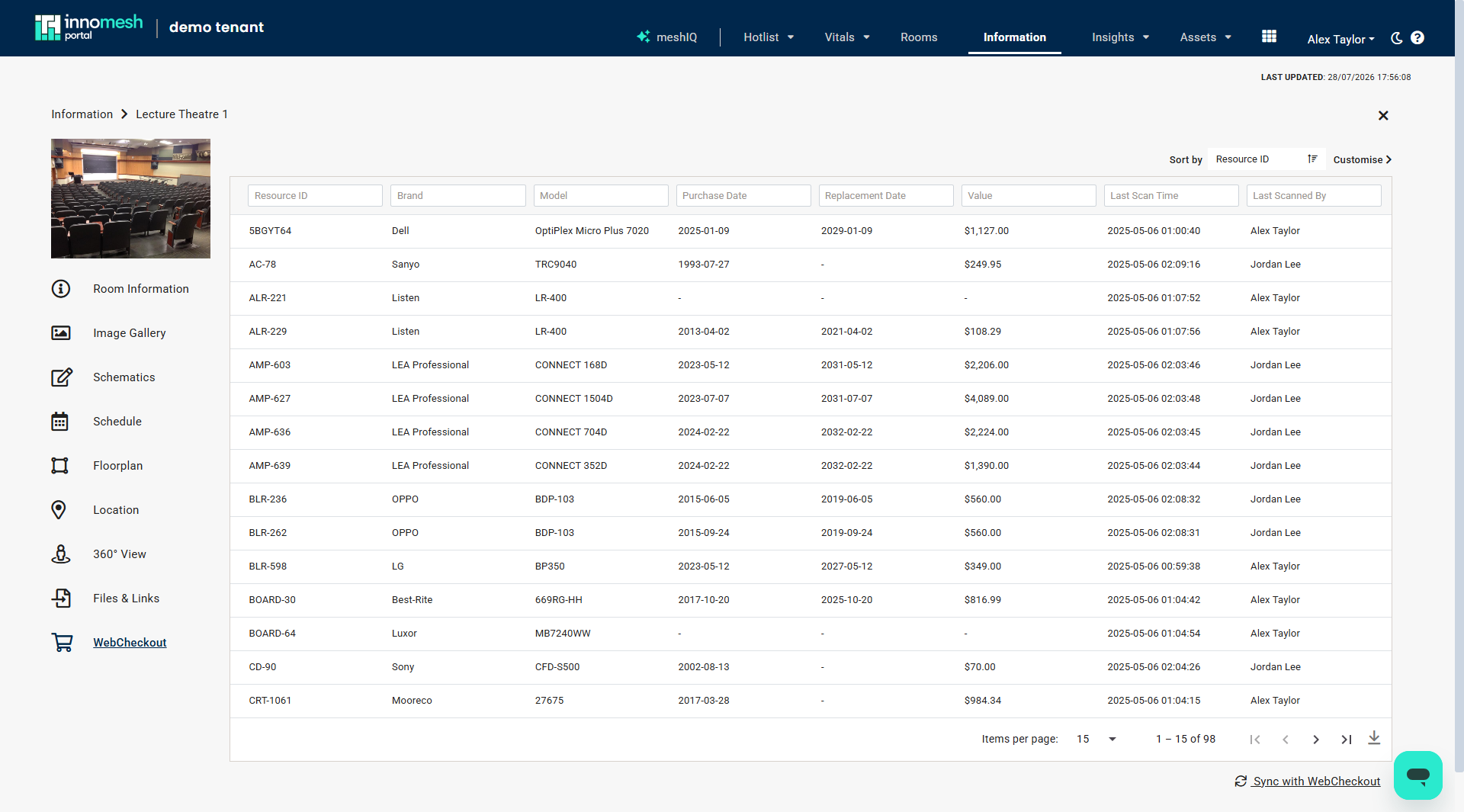 WebCheckout asset inventory in a room’s Information view, Innomesh Portal
Prerequisites
- An active WebCheckout instance with API access
- Assets in WebCheckout that correspond to devices managed in Innomesh
- Enablement by the Innomate support team
Use Cases
- Equipment visibility: See the assets WebCheckout has recorded for a room, including brand, model, and value, without leaving Innomesh
- Support triage: When troubleshooting a room, review the equipment on record and when each item was last scanned
- Inventory reconciliation: Cross-reference WebCheckout records with Innomesh device data during audits, refreshing the list with Sync with WebCheckout