

Administrators can upgrade a room from Pulse to Sight, moving it from reachability monitoring to full native device monitoring. You can upgrade a single room from the room’s configuration, or several rooms at once from the Rooms list.
Upgrading a Single Room
To upgrade an individual room:
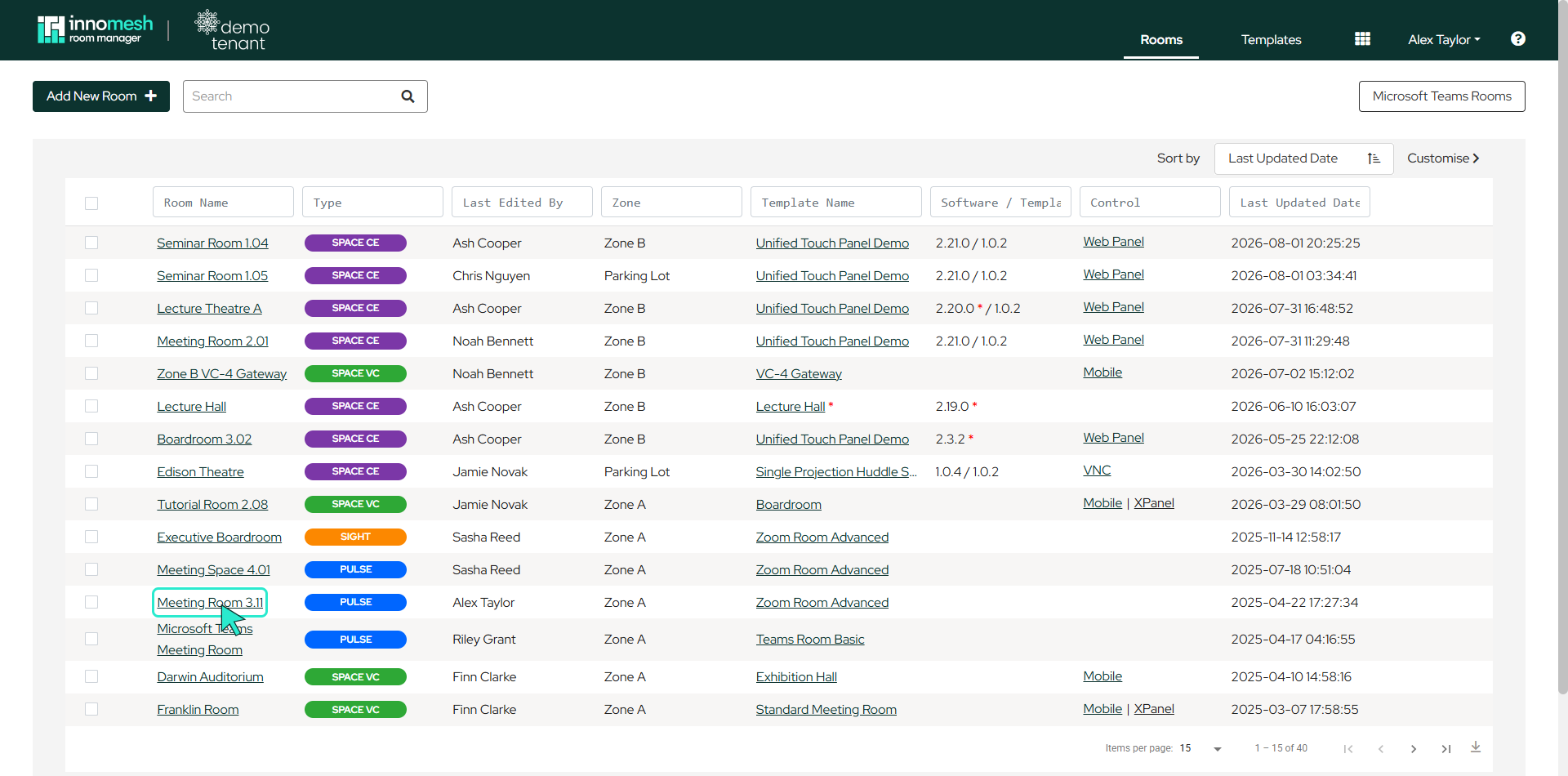
- Open the room’s configuration from the Rooms page by clicking the room’s name (or the pencil icon that appears when hovering over the row).
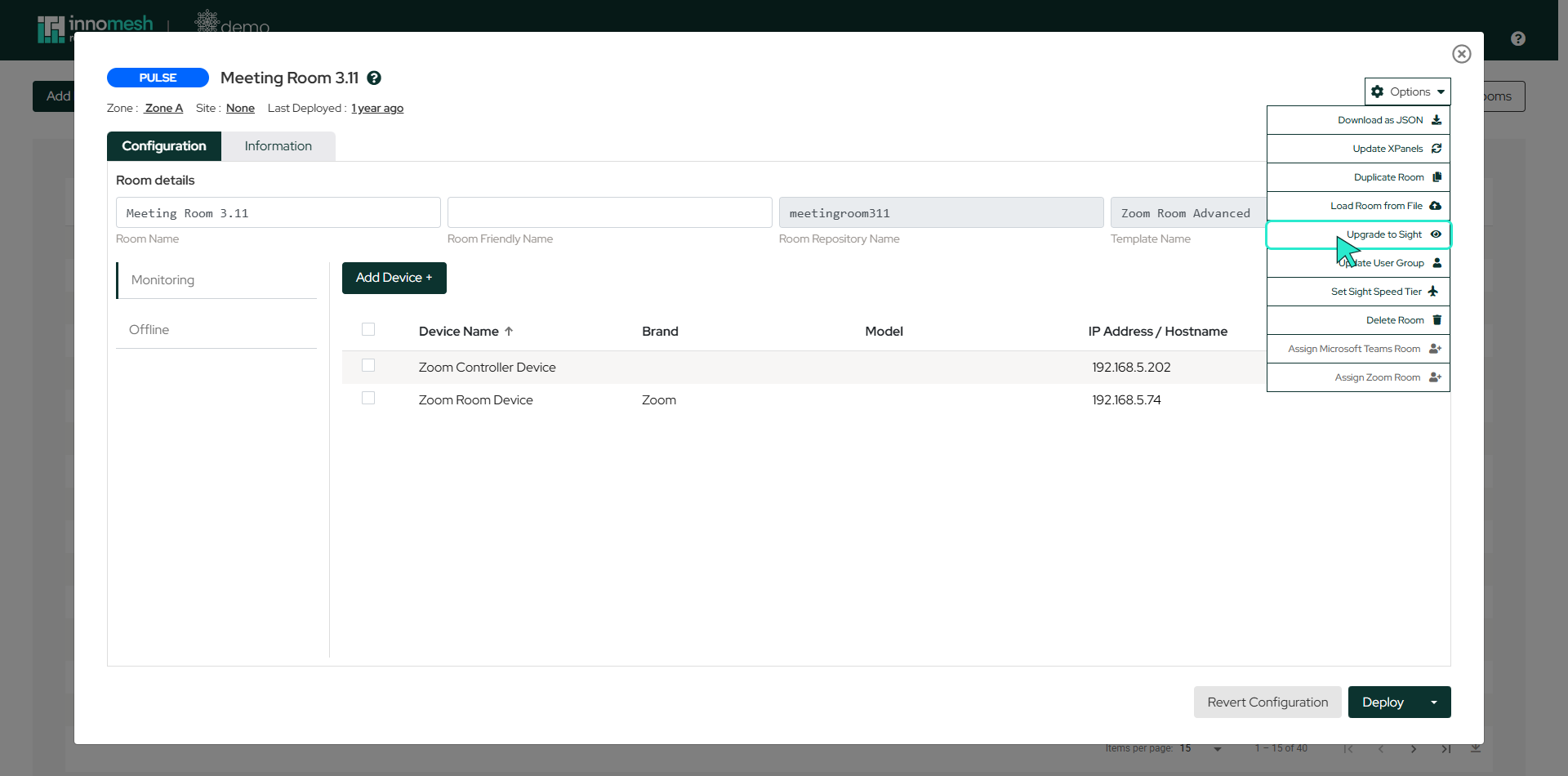
- Hover over the Options button in the top right corner.
- Select Upgrade to Sight from the dropdown menu.
Once upgraded, the room is monitored by Sight. To move a room back to Pulse, see Subscription Tier Downgrade.
Upgrading Several Rooms at Once
To upgrade more than one room in a single action:
- Open Innomesh Room Manager and navigate to the Rooms page.
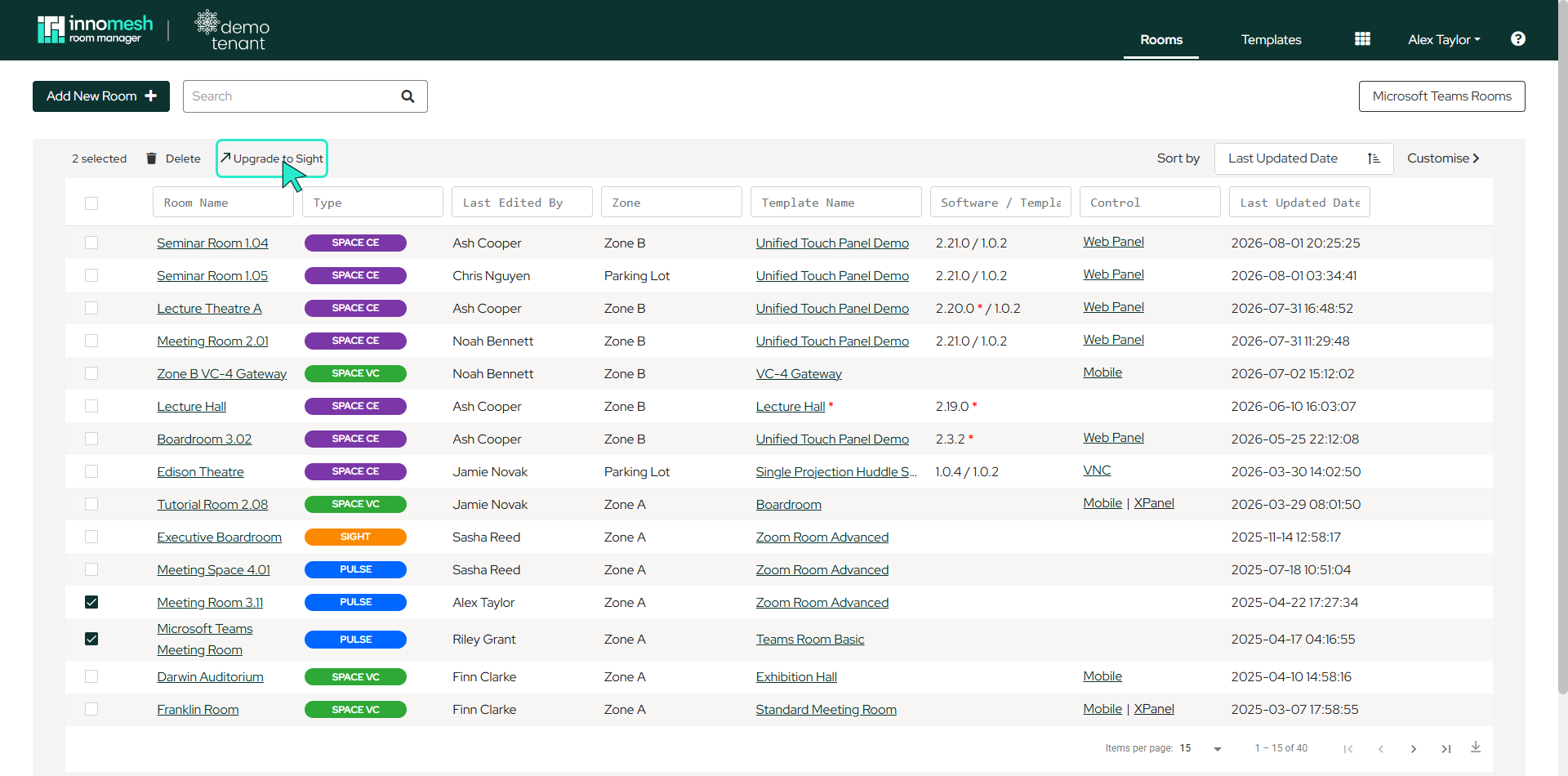
- Use the checkboxes on the left of the room list to select the rooms you want to upgrade.
- Once rooms are selected, an Upgrade to Sight action appears at the top of the list.
- Click it to upgrade the selected rooms.
Selecting Sight rooms offers a matching Downgrade to Pulse action; see Subscription Tier Downgrade.