

📝 Note
This integration is legacy. The recommended ServiceNow integration is with ServiceNow Incident Management, covered in ServiceNow Incident Management Integration. New deployments should use that integration instead.
Overview
Hotlist alerts can generate ServiceNow tickets directly.
Creating a Ticket from an Alert
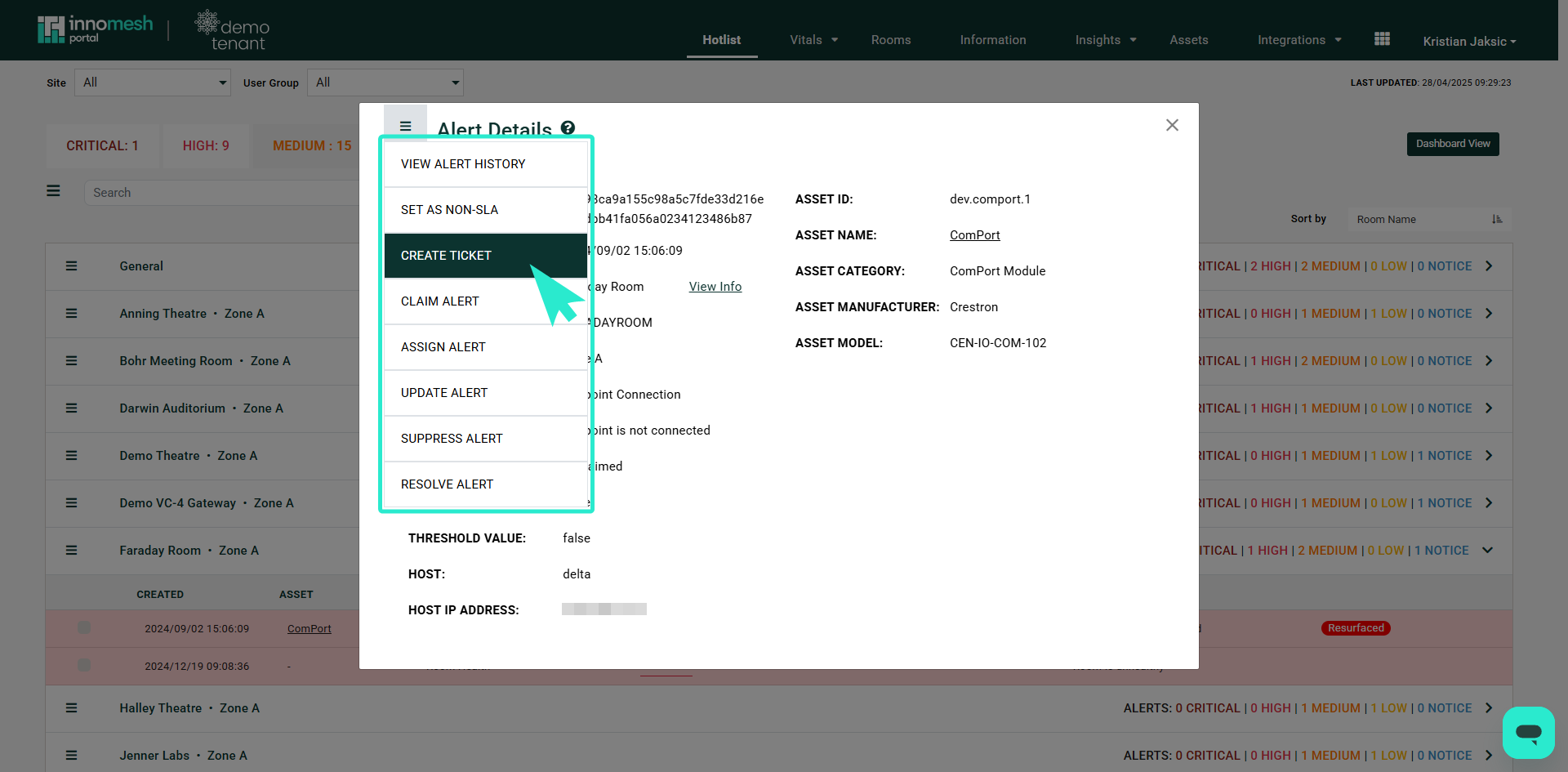
Open the alert in the Hotlist and choose Create Ticket from its options menu.
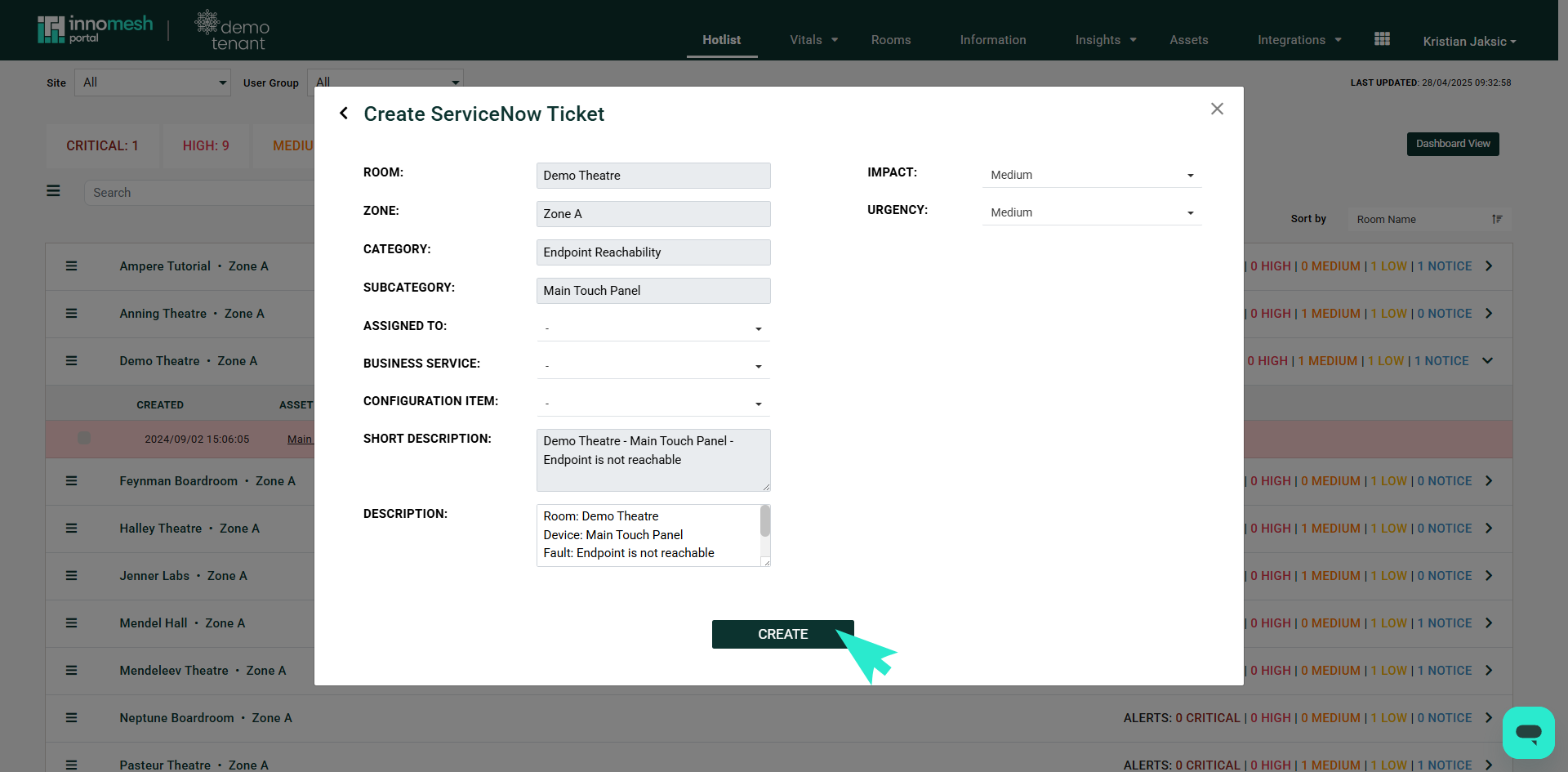
The Create ServiceNow Ticket dialog opens with the Room, Zone, Category, and Subcategory carried across from the alert, and the Short Description and Description fields pre-populated with the room, device, and fault. Set Impact and Urgency, and assign the ticket using the Assigned To, Business Service, and Configuration Item dropdowns. Select Create to raise the ticket in ServiceNow.
For implementation details and pricing, contact your Innomate representative.