

Innomesh Ops extends Innomesh deployments with remote management capabilities. It works alongside Sight or Space subscriptions and allows administrators to manage rooms, endpoints, and AV devices from multiple vendors directly through the Portal.
Key Capabilities
- Remotely manage rooms and endpoints without physical access
- Control AV devices from various manufacturers through a single interface
- Streamline oversight of AV systems across multiple sites
Available Actions
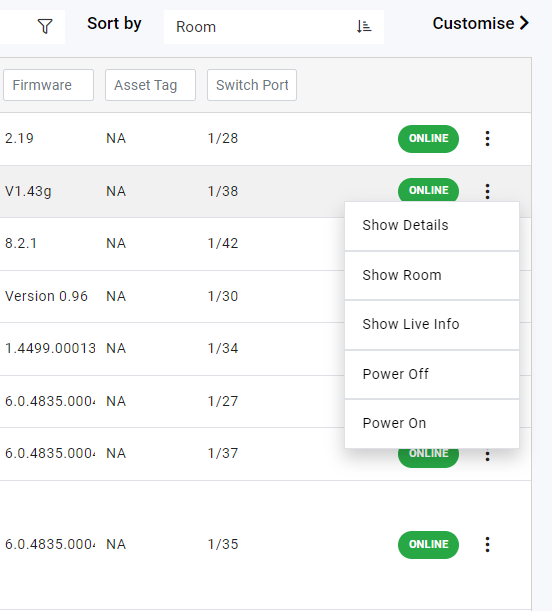
When Innomesh Ops is enabled, additional device control options become available from the Assets page ellipsis menu and the Room Support View. The actions offered for any given device depend on its manufacturer, model, and driver capabilities.
The exact actions each device supports are published in the Driver Catalogue, which lists the commands available for every supported driver. Refer to the catalogue for the definitive, up-to-date set of actions for a specific device.
Actions Manageability
Actions Manageability allows Portal Administrators to manage Ops actions directly through the Portal interface.
Accessing Actions Manageability
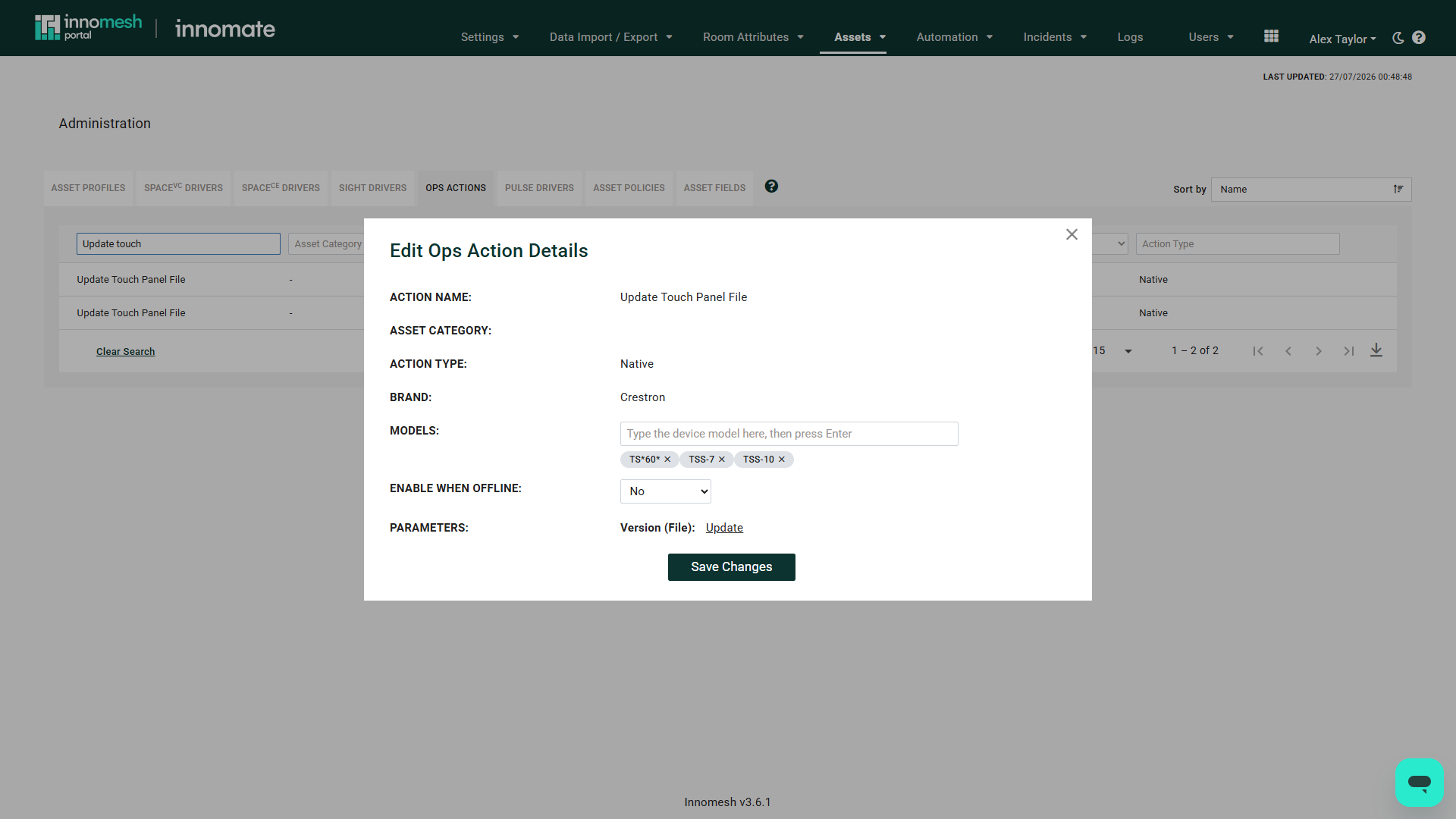
Navigate to Administration > Assets > Ops Actions in Innomesh Portal.
Administrator Capabilities
- Add device models to existing actions for a specific asset brand and category
- Toggle whether an action is available when the asset is offline
- Update files deployed to devices associated with the action (such as touch panel interface updates)
This gives administrators control over which devices receive which actions and what files are pushed during update operations.