

Password Management allows administrators to view and change passwords for Sight devices directly from the Room Manager interface.
Features
Administrators can leverage this feature to:
- View passwords for Sight devices
- Change passwords for Sight devices
How to Access Password Management
Access Steps
- Open a Sight room in Innomesh Room Manager.
- Click the Edit Configurations icon on the right side of the room.
- Either add a new device using Add Device + or select Edit Configurations on an existing device.
- On the device configuration page, locate the Show Password button in the bottom right corner to access the Password Management feature.
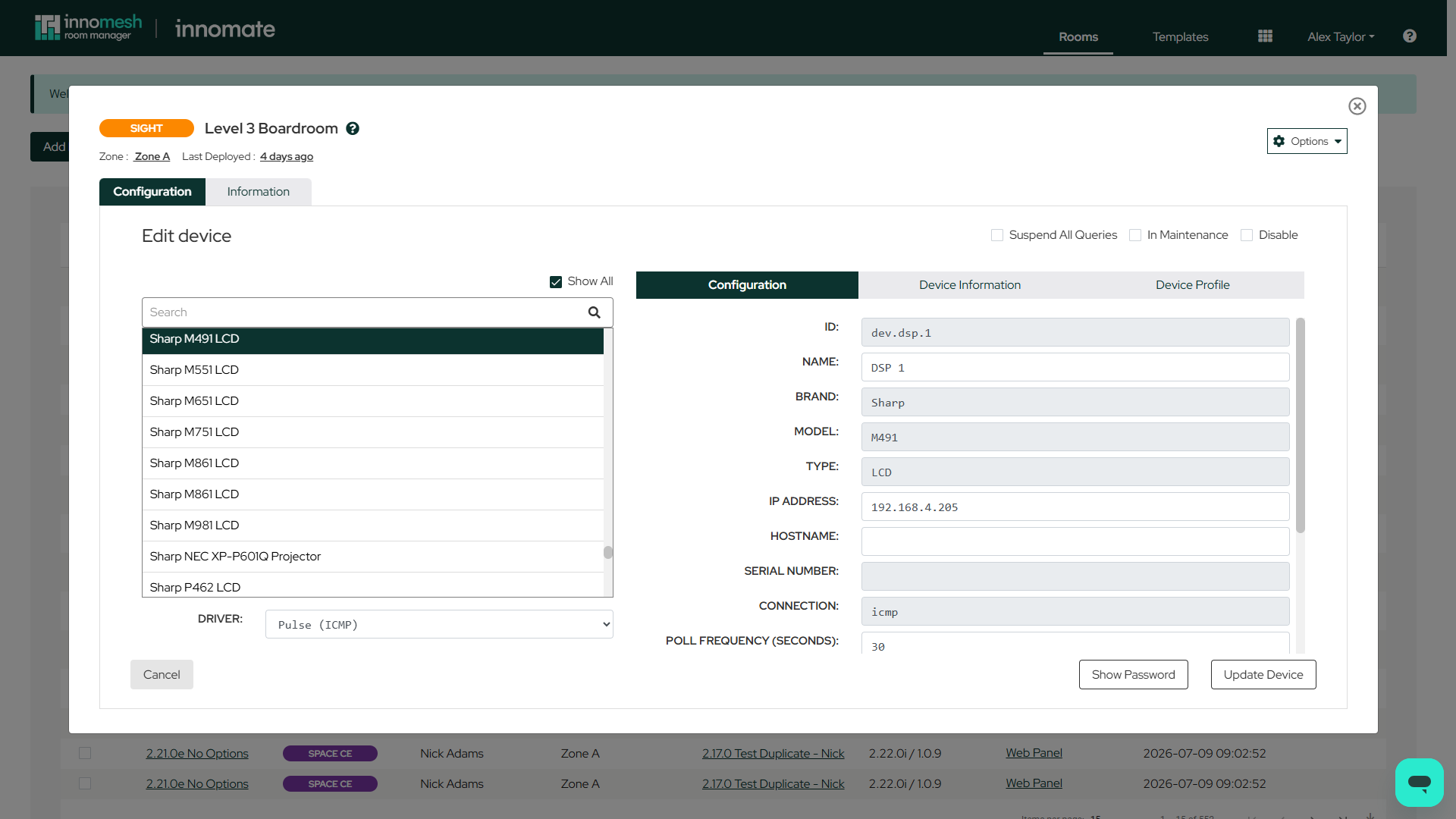
Selecting Show Password opens the credentials for the device, listing its username and masked password with a copy control, plus options to edit or clear the stored password.
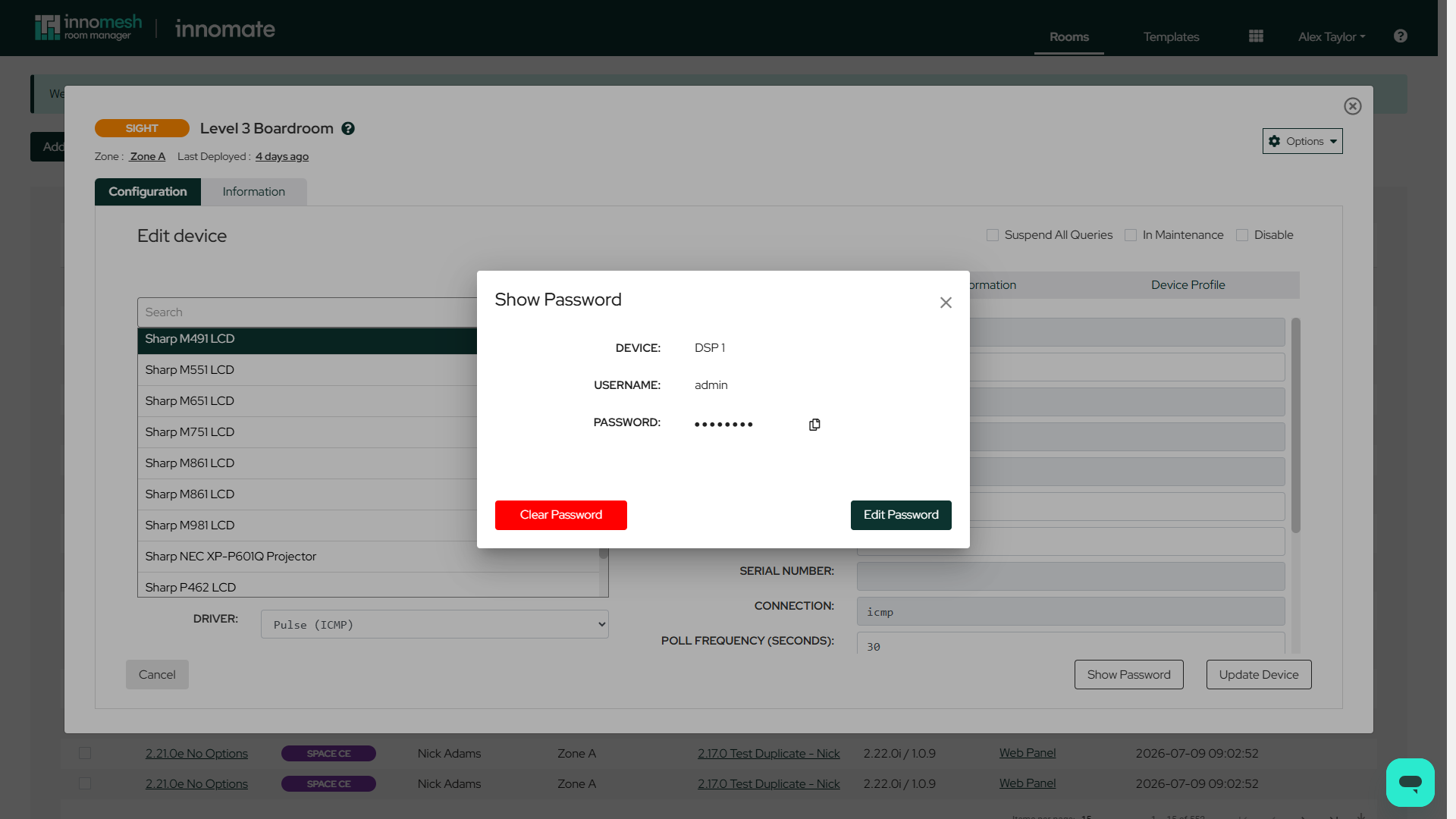
This functionality allows administrators to manage device credentials directly from the configuration interface.