

Released to production on 04/09/2026 (Australia) and 07/09/2026 (US and EU).
This release replaces meshIQ’s multi-agent design with a single assistant, turns it from a reporting surface into one you can act through, and scopes every result and action to the signed-in user’s real access.
Release Highlights
- One assistant instead of several: a single meshIQ agent replaces the previous multi-agent design, so questions reach the right capability by judgement rather than by keyword routing.
- Assets you can act on: asset actions, scheduled actions, and automation policies can now be run from the chat.
- Every user, their own estate: per-user permissions now flow into the chat, so results and available actions reflect the signed-in user’s real access.
One Assistant Instead of Several
meshIQ previously routed each question to a specialist agent by matching keywords. The new design uses a single agent with access to every tool and dataset, so it reads what you actually ask and determines the right response.
Keyword matching broke when a question was phrased differently to what was expected. Asking “What’s wrong with the boardroom display?” might not be recognised as an alert query. The single agent reads intent directly, so unusual phrasings, follow-up questions, and mixed topics are all handled.
- Mixed-topic questions return one joined answer. A question spanning alerts and room usage no longer comes back partial.
- Follow-up questions keep their context across topics, instead of resetting when the subject changes.
- Documentation questions phrased as commands, such as “list the alert severities”, return documentation instead of an empty analytics result.
Run Actions on Your Assets, from Chat
Asset actions such as rebooting a display, capturing a live screenshot, or downloading device logs can now be run directly from the chat instead of switching to the Portal.
Pick a room and an asset, and meshIQ lists exactly what that device supports. Every runnable action gets a Run button. Destructive actions such as Factory Reset ask you to confirm by typing the asset ID, which prevents accidental changes. Actions that only the Portal can perform are still listed, so the full picture is visible.
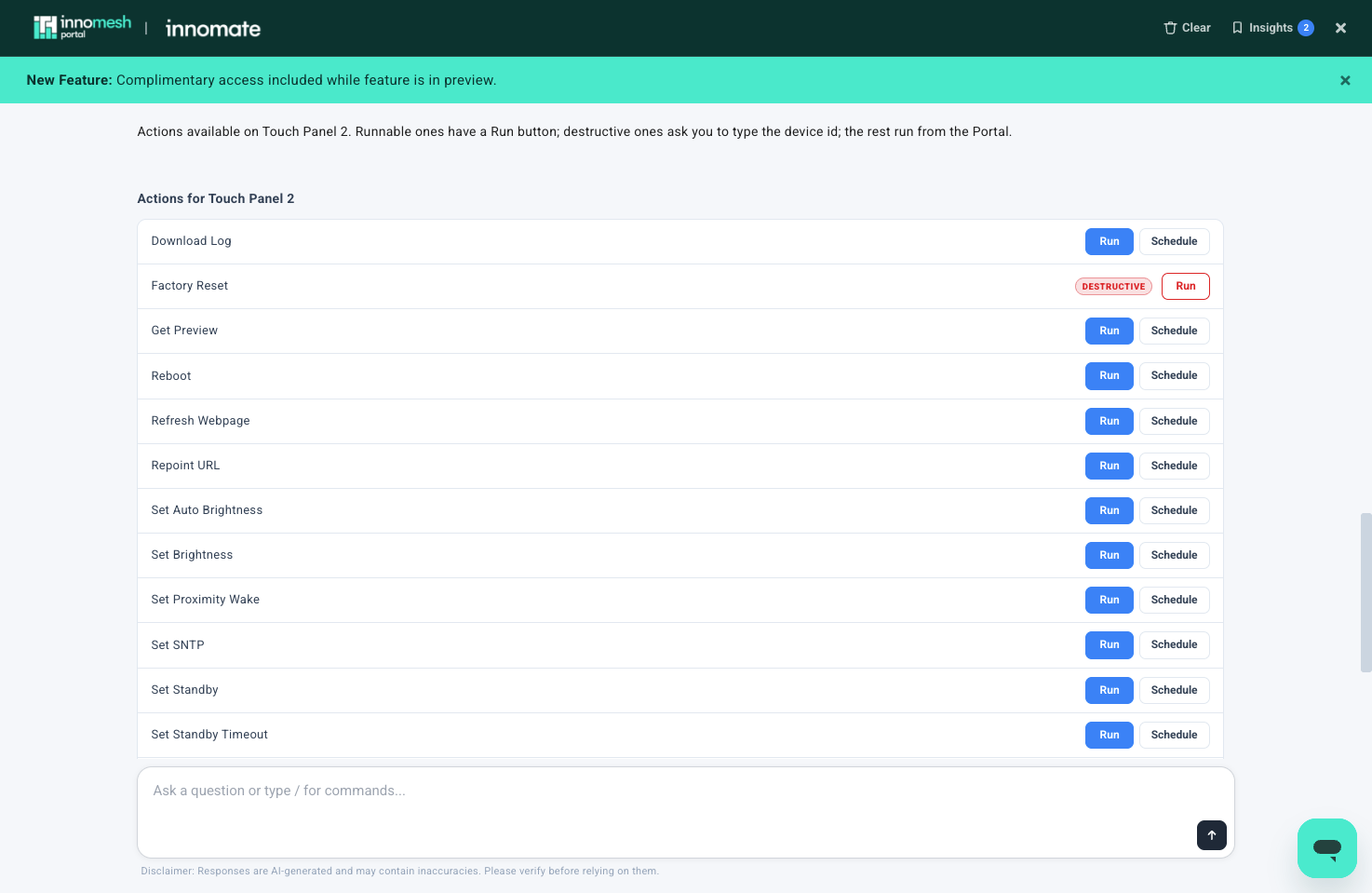
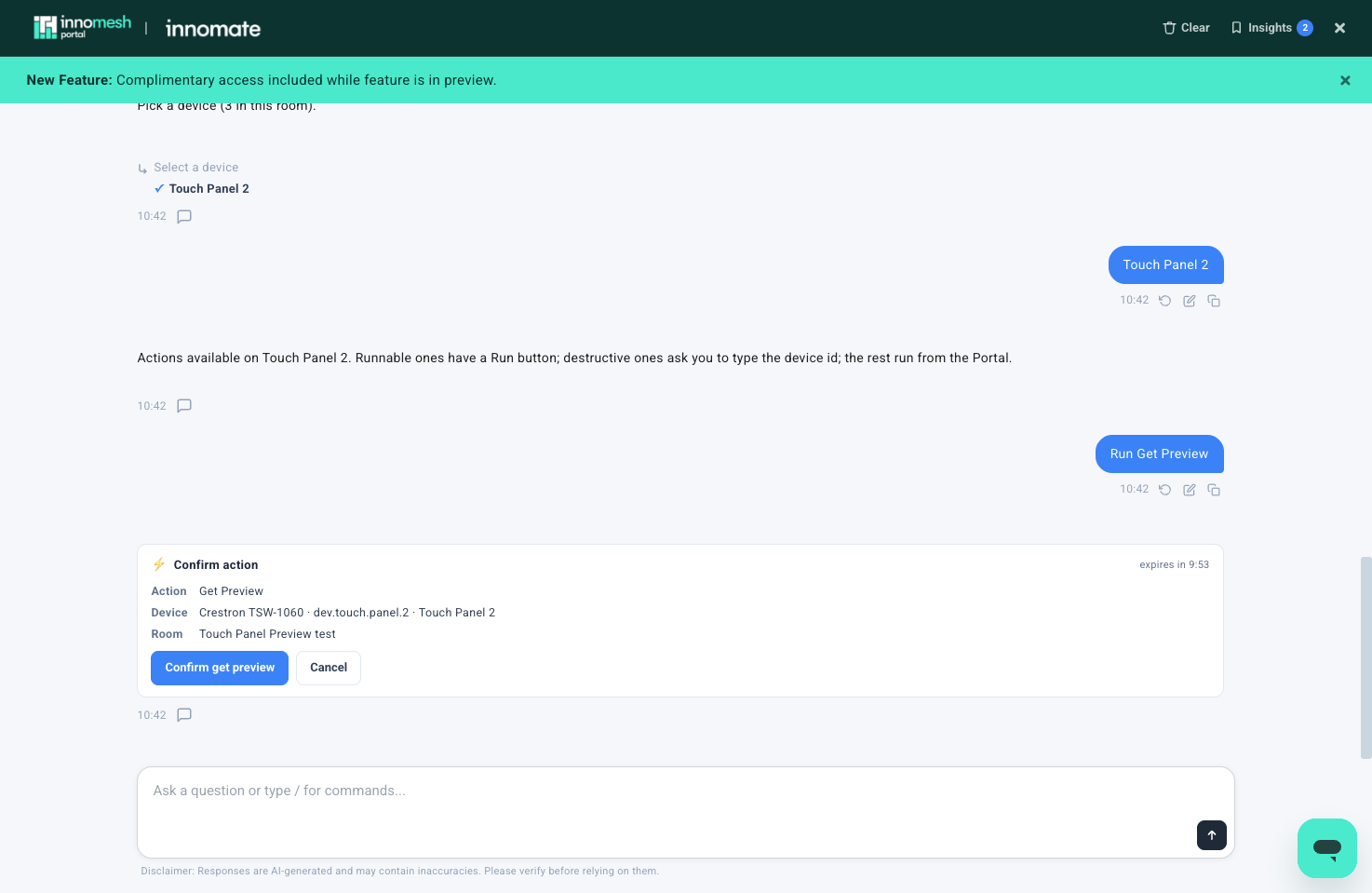
Every action is confirmed before it runs, then runs as a background job, so the conversation is never locked up while it completes.
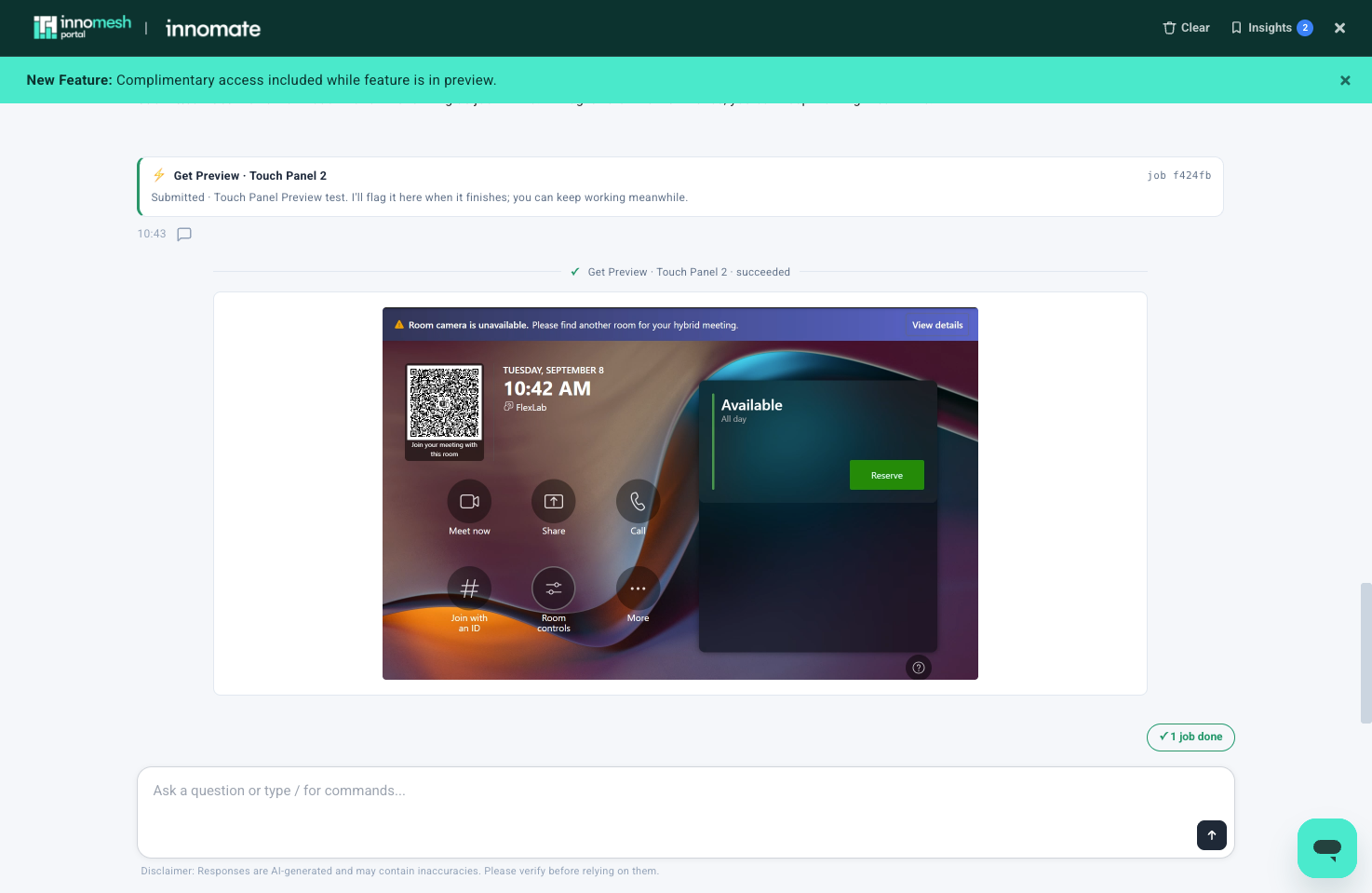
Results render straight into the chat. Get Preview returns a live screenshot, and Download Log returns a downloadable archive.
The /asset-actions slash command is a shortcut, not a requirement. Because the agent interprets the request rather than matching keywords, the same thing can be asked in plain language:
- “What can I do to the touch panel in 01-0032-210?”
- “Show me the actions available on the main display in the boardroom.”
- “Reboot the touch panel in 01-0032-210.”
- “Download the logs from the Crestron panel in 01-0001-e201.”
For the full procedure, see Running Asset Actions from meshIQ.
Schedule Actions for Later
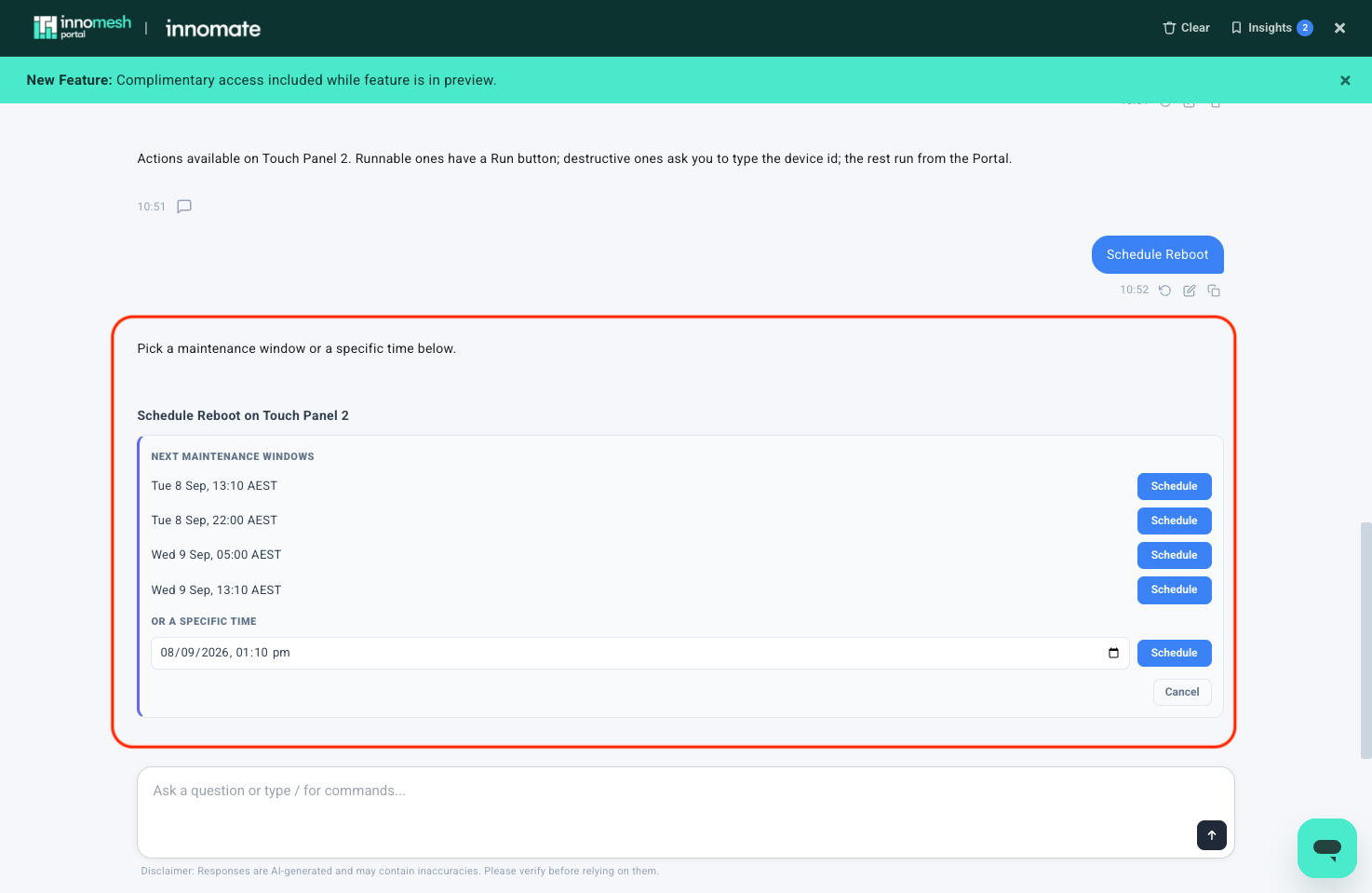
Any asset action can be scheduled for a maintenance window, or for a specific time set in the conversation.
- Every runnable action offers a Schedule button alongside Run.
- A Scheduled Actions view lists everything queued, with Reschedule and Cancel on each item.
- Cancelling always asks for confirmation first.
- Scheduling asks for a time in the conversation, rather than opening a separate date picker.
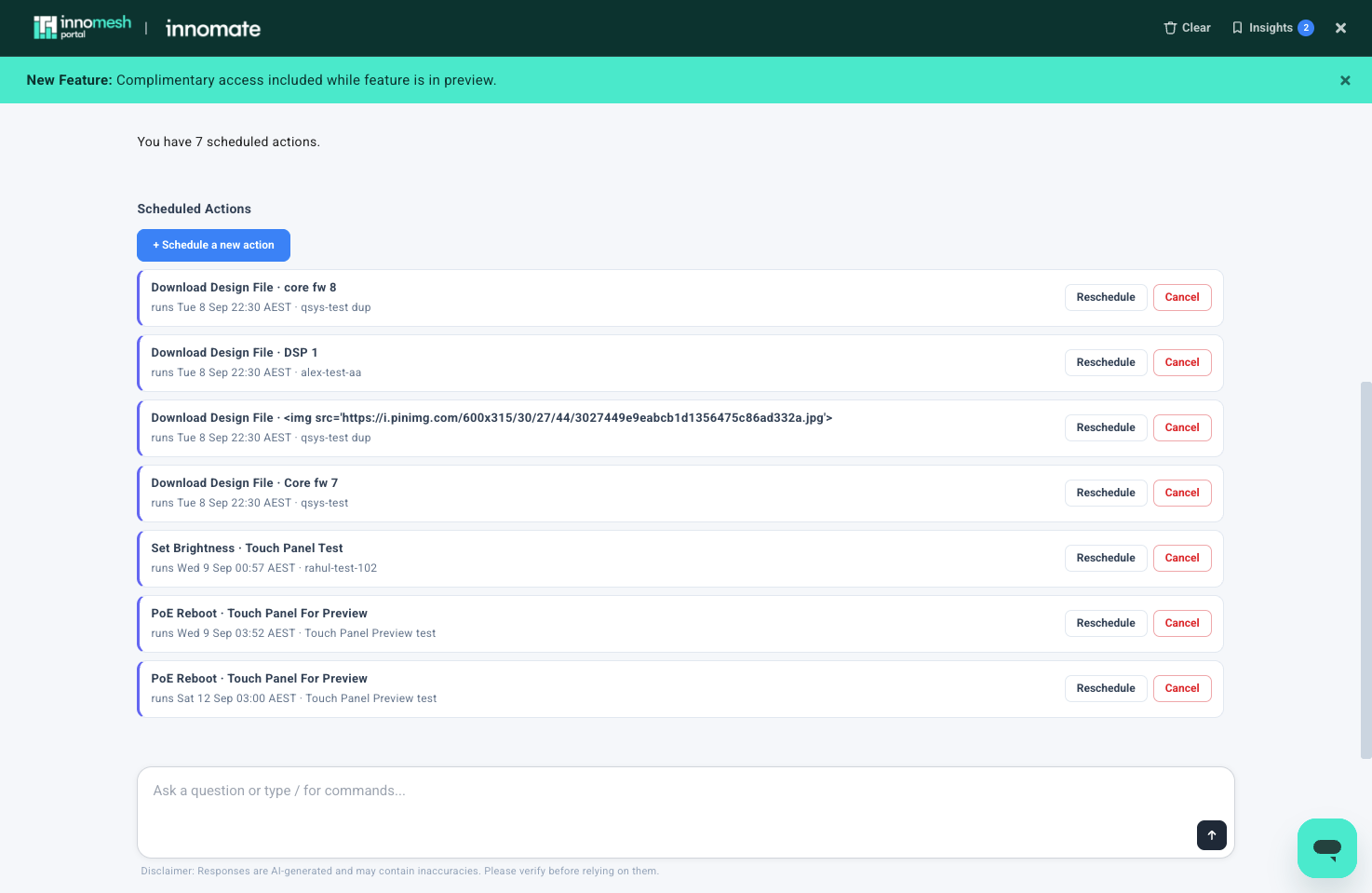
Instead of /scheduled-actions, users can ask:
- “What actions are scheduled?”
- “Show me everything scheduled to run this weekend.”
- “Cancel the reboot scheduled for the boardroom display.”
- “Reschedule that display restart to Saturday morning.”
Scheduling can also start from the request itself, without visiting the list first, such as “Reboot the touch panel in 01-0032-210 tonight at 10pm.”
For the full procedure, see Scheduling Actions in meshIQ.
Build Automation Policies in Chat
Automation policies define rules that run actions automatically: on a schedule, when an alert fires, or when a property changes. These policies can now be created, edited, enabled, disabled, and deleted directly in the chat, alongside running one-off actions.
Scheduled, alert-triggered, and property-triggered policies are all supported. Every policy is validated before it saves, so a policy that would never fire is rejected with a clear explanation rather than saved silently.
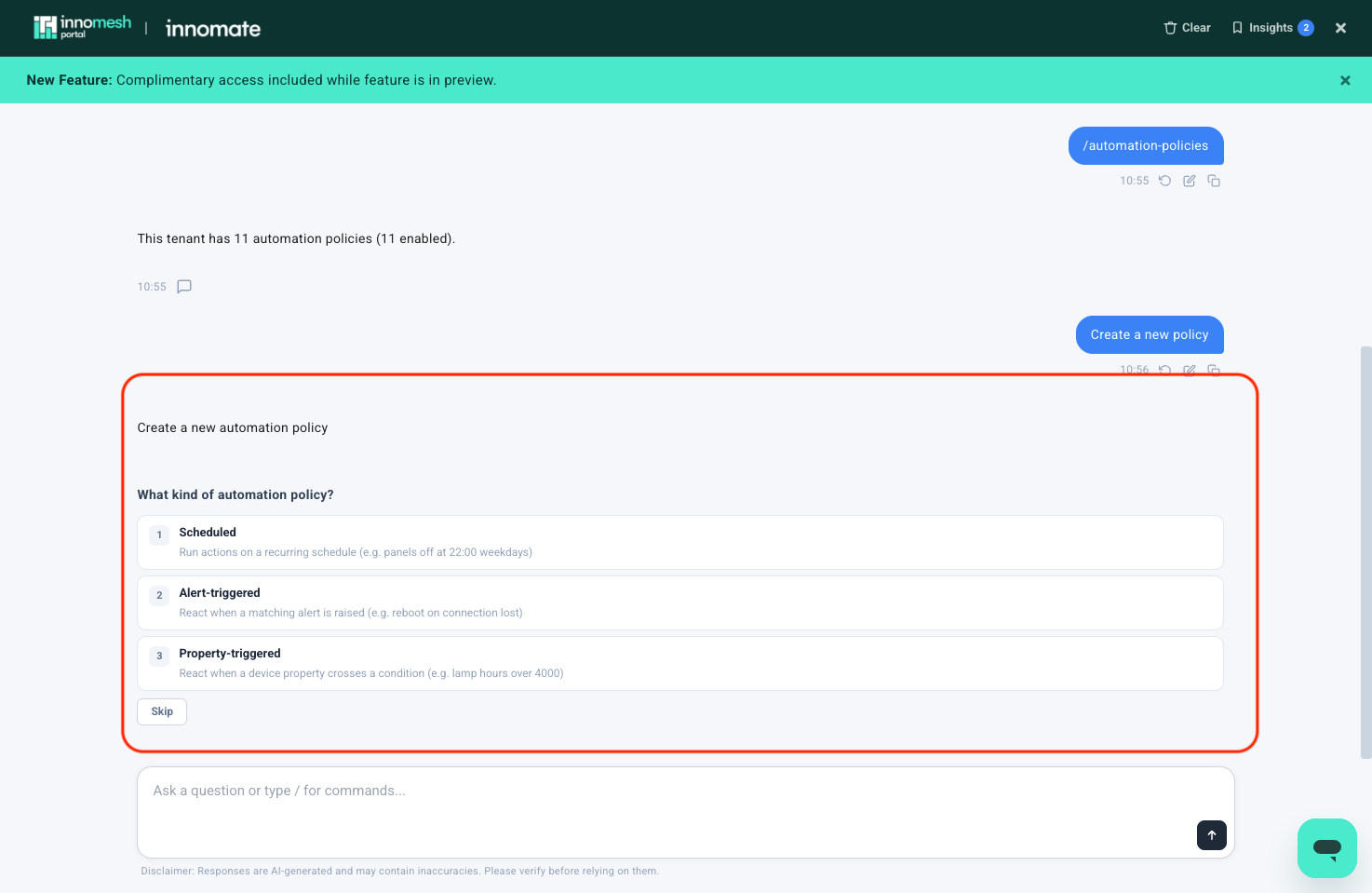
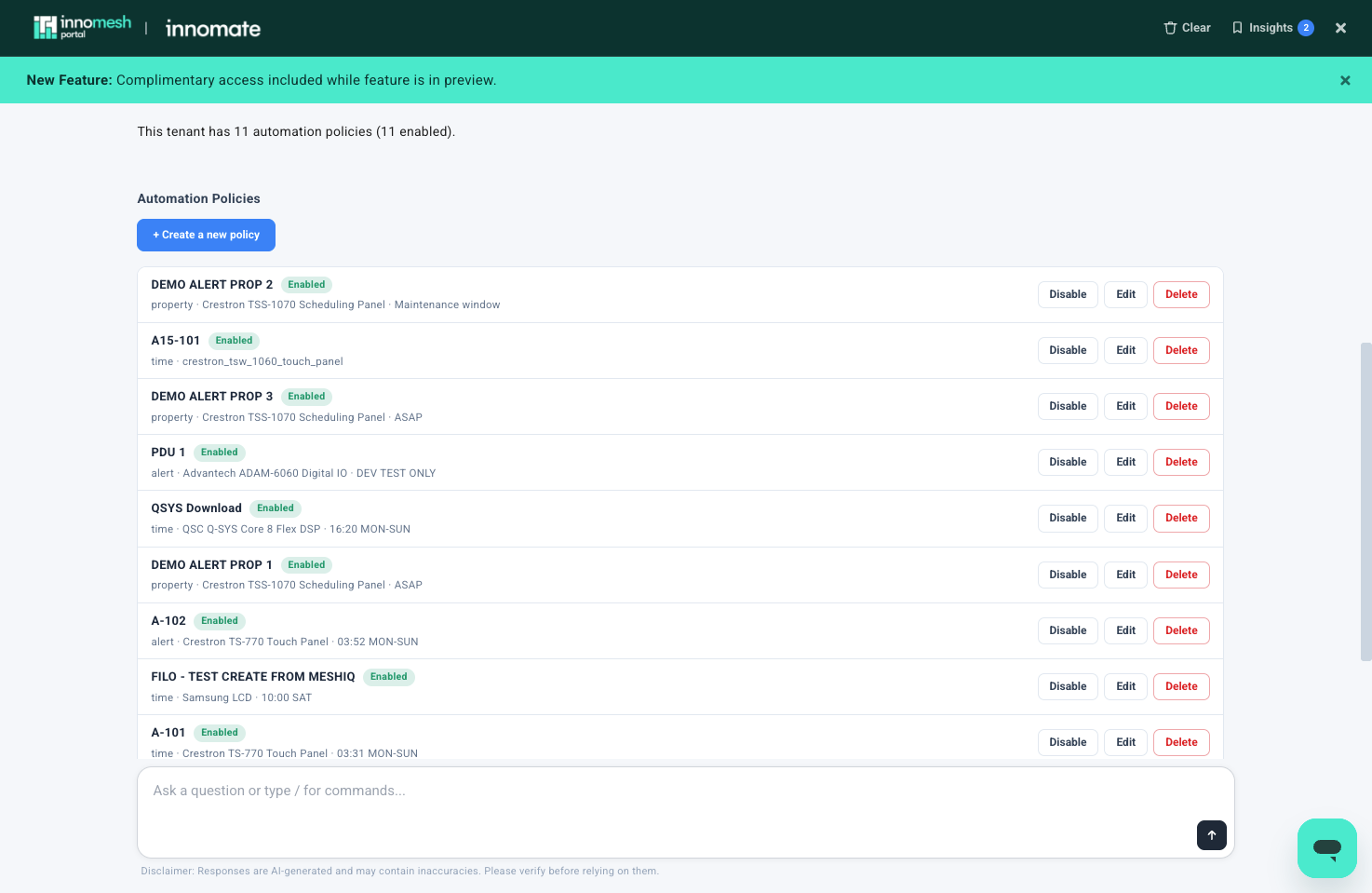
Instead of /automation-policies, users can ask:
- “What automation policies do we have?”
- “Which policies fire on critical alerts?”
- “Create a policy that reboots the touch panel in 01-0032-210 every Sunday at 3am.”
- “Disable the after-hours shutdown policy.”
For the full procedure, see Managing Automation Policies in meshIQ.
Every User Sees Their Own Estate
The chat now connects with a token carrying the signed-in user’s real permissions, sites, and user groups, rather than a shared key with no user scope.
- Results reflect what that user is allowed to see, not the full estate by default.
- Asset actions are gated on the user’s own permissions. An action that the Portal would not allow cannot be run from the chat either.
- Action records attribute the run to the real person’s name and email, so audit history shows exactly who did what.
Chat Experience Improvements
Stop a running request. Cancellation now flows all the way into agent execution, so stopping a request stops the work rather than only hiding it.
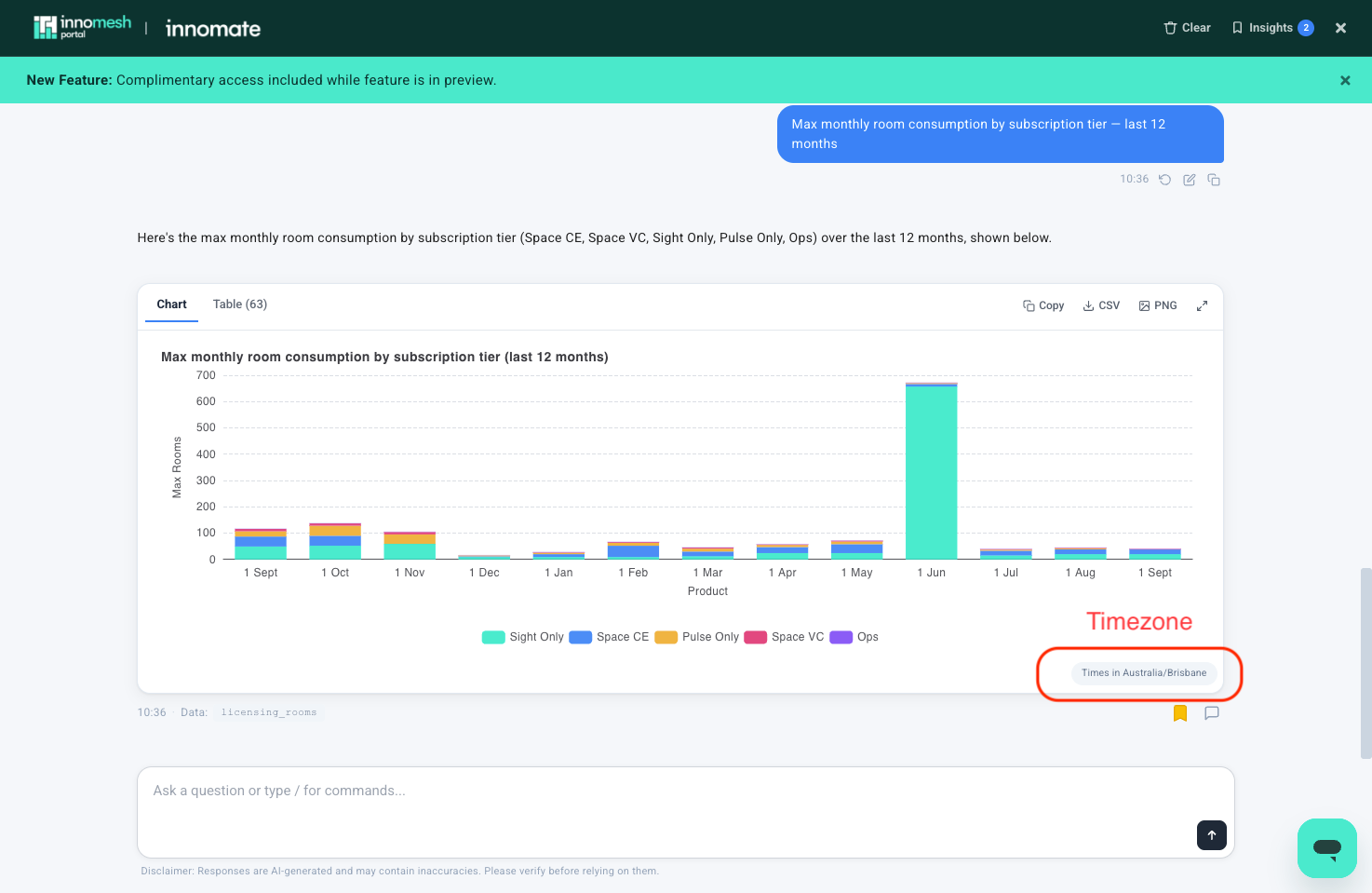
Timezone visibility. The tenant timezone is now applied consistently across every analytics query, and a timezone pill on each chart shows which timezone produced the result.
Feedback in one click. Every answer, including error cards, now carries a feedback icon, so a bad or failed answer can be reported without leaving the conversation.
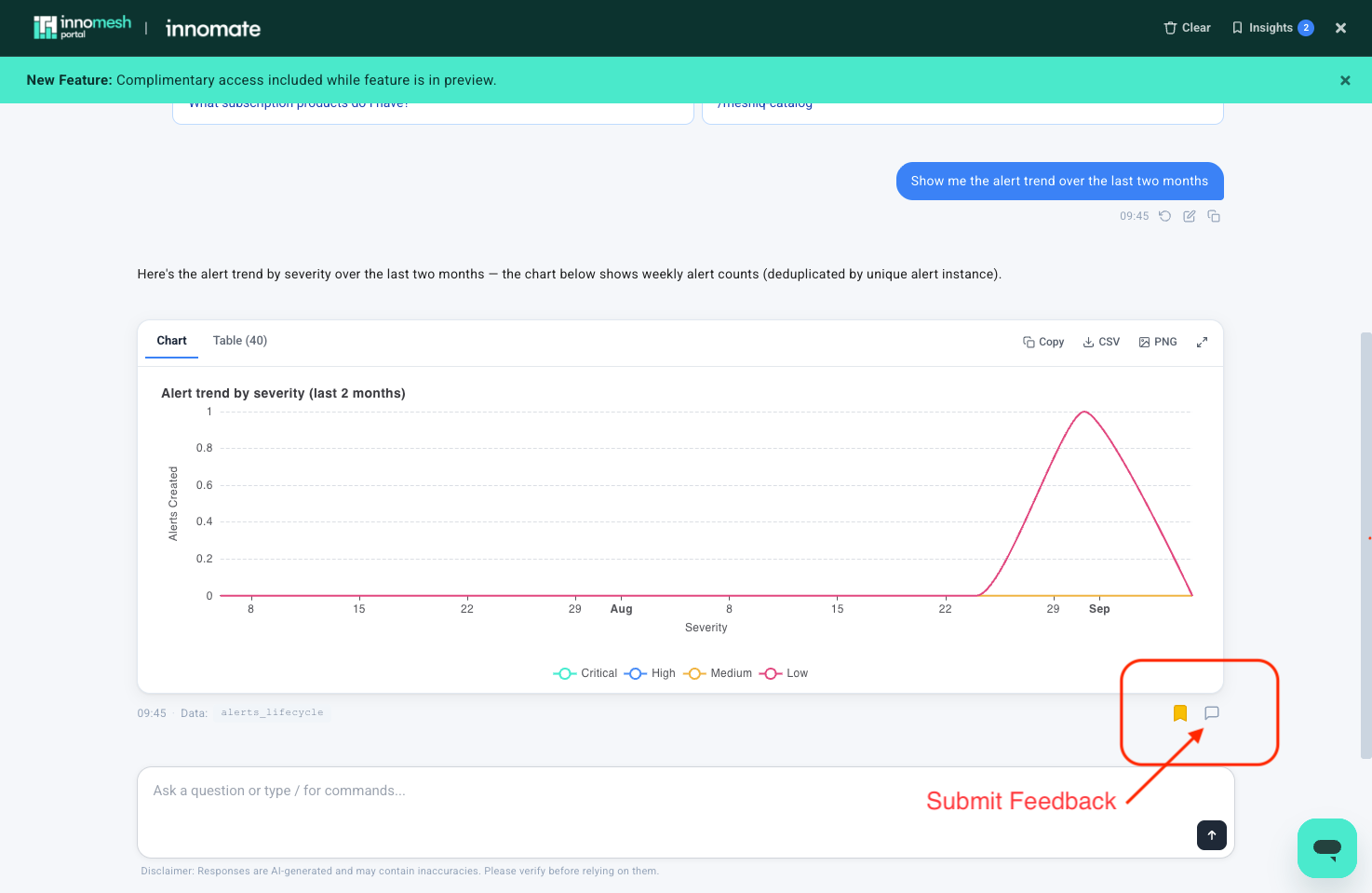
For more detail, see Chat Controls and Feedback.
Bug Fixes
- Fixed a lag when typing a question in the chat input.
- Stopping a request now cancels it end to end, rather than leaving work running underneath.
- Analytics now apply the tenant timezone throughout, and show it on every chart.
- Error cards now carry a feedback icon, so a bad answer can be reported.
- Fixed errors and timeouts for tenants with Pulse monitoring zones and no Space zones, which previously returned zero rooms.
Performance
| Area | Before | After |
|---|---|---|
| First question in a session | About 5 to 6 seconds of avoidable startup cost | Removed |
| Dataset catalogue load | 3,164 ms median, frequently timing out | 528 ms cold, 6 to 16 ms warm |
| Fleet inventory questions on large estates | Timed out at about 35 seconds | About 17 to 19 seconds, returning a chart |
| Alert severity breakdowns | 48 to 54 seconds per query | Reduced to a single aggregation |